Thank you for using LISMOA!
We're excited to announce three new feature updates. All updates are already live for all users.
Referral Program Performance Tracking
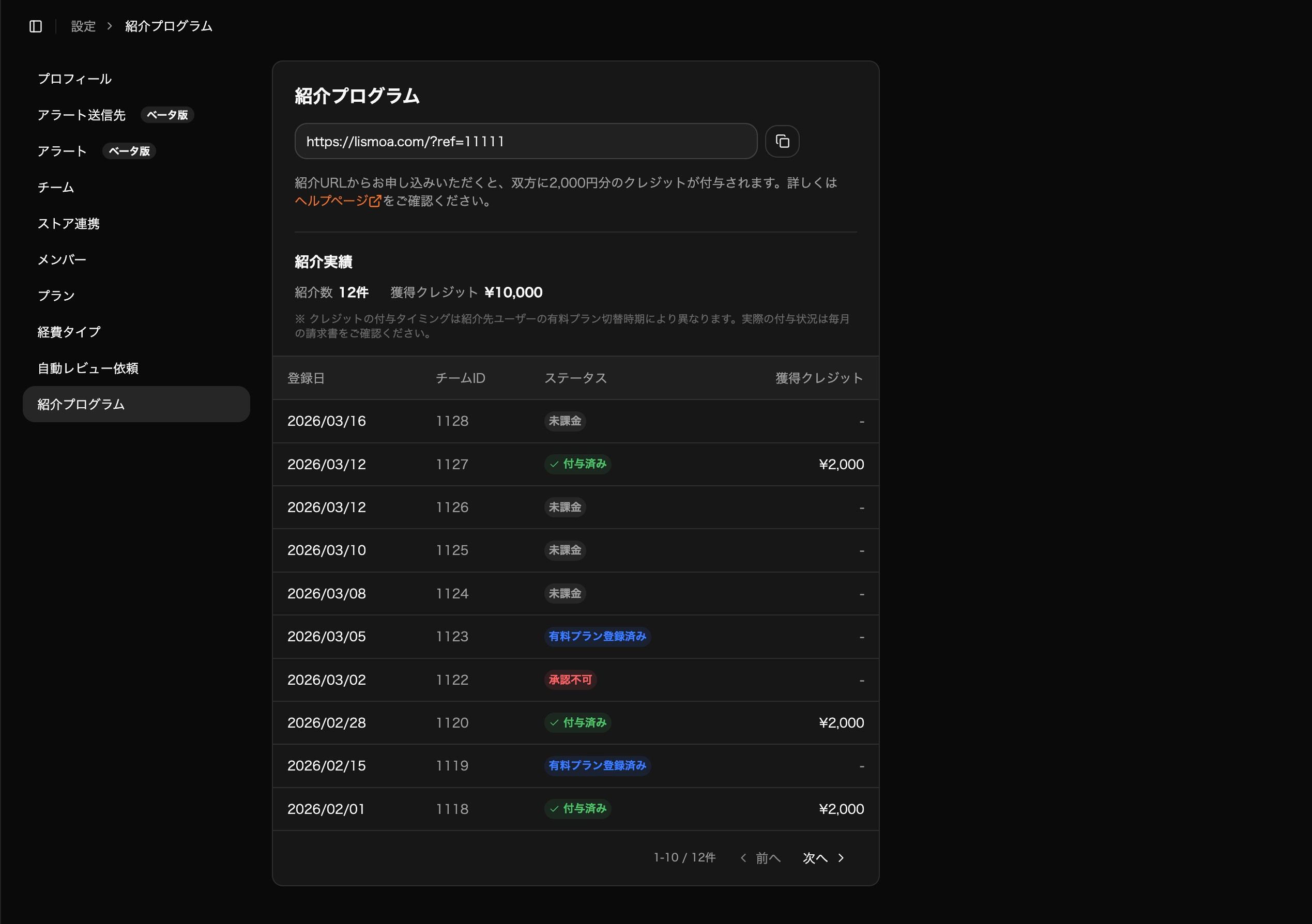
You can now view your referral performance on the Referral Program page under Settings.
Previously, this page only displayed your referral URL. Now you can also see:
Number of referrals
Current status of referred users
Credits earned
Use this to keep track of your referral program results.
ASIN Filter on Ad Performance
The Ad Performance page now supports filtering by ASIN (product).
Click on a product title from any ad page — such as Sponsored Products or Sponsored Display — to navigate to the Ad Performance page filtered by that product. This lets you view time-series data across all ad types for a single product.
Use this when you want to see overall ad performance on a per-product basis.
Percentage Display on Summary Cards
Summary cards at the top of each page now support switching between actual values and percentages.
For cards that support percentage display, click the "%" button to toggle the view. For example, switching the FBA Fees card to percentage mode shows the FBA fee rate relative to total sales over time.
This gives you more flexibility in analyzing your data.
If you have any questions, please don't hesitate to reach out to our support team. Thank you for choosing LISMOA!